
Maude in Pictures
Maude was designed for carriers by carriers
She automates the DOT hiring process
No tech degree required
🎯 Here’s What Actually Happens
Filling a truck driving job is a long, expensive, and painful process. Between emails, phone calls, interviews, road tests, screenings, deliberations, and tracking down paperwork, it can easily take 40 or more hours.
With Maude? You click a few buttons and approve things when she asks. You handle the human aspect – the interviews and road tests – and Maude handles the rest at your direction. When a driver accepts an offer, Maude will email the completed documents to your DQF team so they have the paperwork they need to begin DOT processing.
Here’s how Maude’s 2-Stage hiring process works:
You Create a Job Posting
Log in to Maude and click “Create Job Ad.” She’ll ask you a few questions about the position – route type, pay, home time, requirements.
Answer the questions in plain English. No technical stuff.
Simple form – answer questions
about your job opening
Maude Posts Your Job
She puts it on SlipSeat’s job board automatically (for 30 days) and gives you a link to post anywhere else – Indeed, Craigslist, Facebook, wherever.
You don’t upload anything. You don’t format anything. She does it.
Your job ad goes live
on SlipSeat + everywhere you share it
Driver Completes DOT Application
When a driver clicks “Apply,” they fill out Maude’s AI-powered DOT application. Yes, it’s an 8-pager (DOT requires it), but Maude makes it smart.
She collects everything in one shot: work history, accidents, violations, PSP authorization, pre-employment exemption paperwork.
The moment they submit: Maude analyzes how they match your job requirements, sends them a professional Thank You email on your behalf, and packages everything for you to review. All before you even see the application.
8-page DOT application
+ instant AI analysis
🔍 Click to expand
You Get an Email: “Review This Applicant”
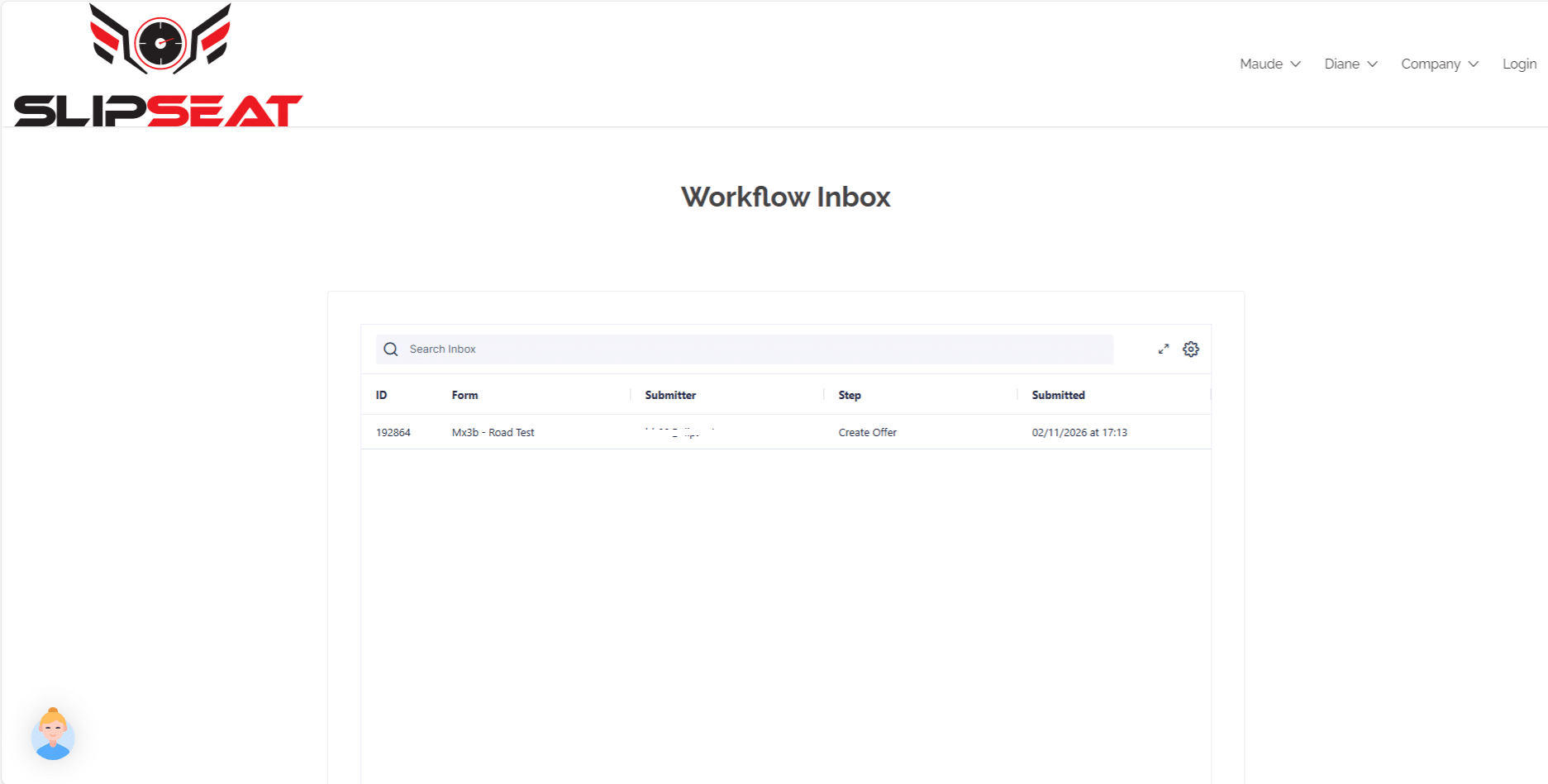
When an application comes in, you get an email with a link to your Workflow Inbox.
Click the link. You’ll see the application + Maude’s analysis of how the driver matches your job requirements.
Schedule the Interview (1 Click)
If you approve, Maude asks: “Who should interview this driver?” You pick from your team.
Then Maude emails the driver: “Pick one of these 3 times for your interview.”
Driver picks. Maude confirms with everyone. Interview is scheduled.
Pick interviewer → Driver picks time →
Everyone gets confirmation
Stage 1 Interview (Remote)
Your interviewer gets an email with 15 interview questions (tailored to the driver and job) plus an evaluation form.
They do the phone/video interview. They fill out the form. They click “Submit.”
You get a notification that the evaluation is ready to review.
Interviewer gets questions
and evaluation form automatically
Stage 2 Interview (Onsite + Road Test)
If the driver passes Stage 1, you can schedule an onsite interview. Pick up to two interviewers + a road test examiner if you want one.
Maude proposes three dates/times. Driver picks one. Everyone gets confirmed.
Your team gets fresh interview questions (different from Stage 1) and evaluation forms. If you’re doing a road test, the examiner gets the road test form too.
Onsite interview + road test
with automated scheduling
Make the Offer (Or Don’t)
After Stage 2 interview (and road test if you want), you review everything and decide: Hire / No Hire / Probationary Hire.
Maude drafts the offer letter based on your decision. You edit it if you want. You approve. She sends it.
Choose outcome → Maude drafts letter →
You review and approve → Done
DQF Paperwork Gets Generated
When the driver accepts, Maude automatically generates all the Driver Qualification File paperwork and emails it to your DQF team.
Everything’s already filled out. You double check it, organize it alphabetically, sign off on it (qualify the driver) and file it.
All DQF documents ready to file
No manual data entry
Stay DOT-Compliant (Automatically)
PSP authorizations? Collected. Pre-employment exemptions? Generated. Employment verification requests? Sent to past employers (up to 3 times if needed).
You still handle MVRs, background checks, Clearinghouse, and drug screens – but Maude organizes everything so nothing falls through the cracks.
Every step is DOT-compliant
Nothing gets missed
🔒 “What If I Mess Up?”
- Can I hire the wrong person by accident? No. It’s impossible. There are 3 check points. Every hire requires two approvals (Job Manager + Operations Manager), and you edit the final offer letter.
- What if I click the wrong button? Most actions require a follow-up step (like choosing an interviewer), so accidental clicks don’t cause problems.
- Can I reschedule things? Yes – rescheduling an interview is literally a one click process.
- What if Maude takes forever? Most actions take 20-30 seconds. If it’s over 2 minutes, refresh the page.